

 TR
TR
Module 2 - Classes, Rooms and Schedules
Dear Students,
Please follow the steps below to find out Module 2 details:
Step 1: Please click here to find out your Module 2 class code.
Step 2: Please click here to find out your classroom that you will use on your face-to-face days.
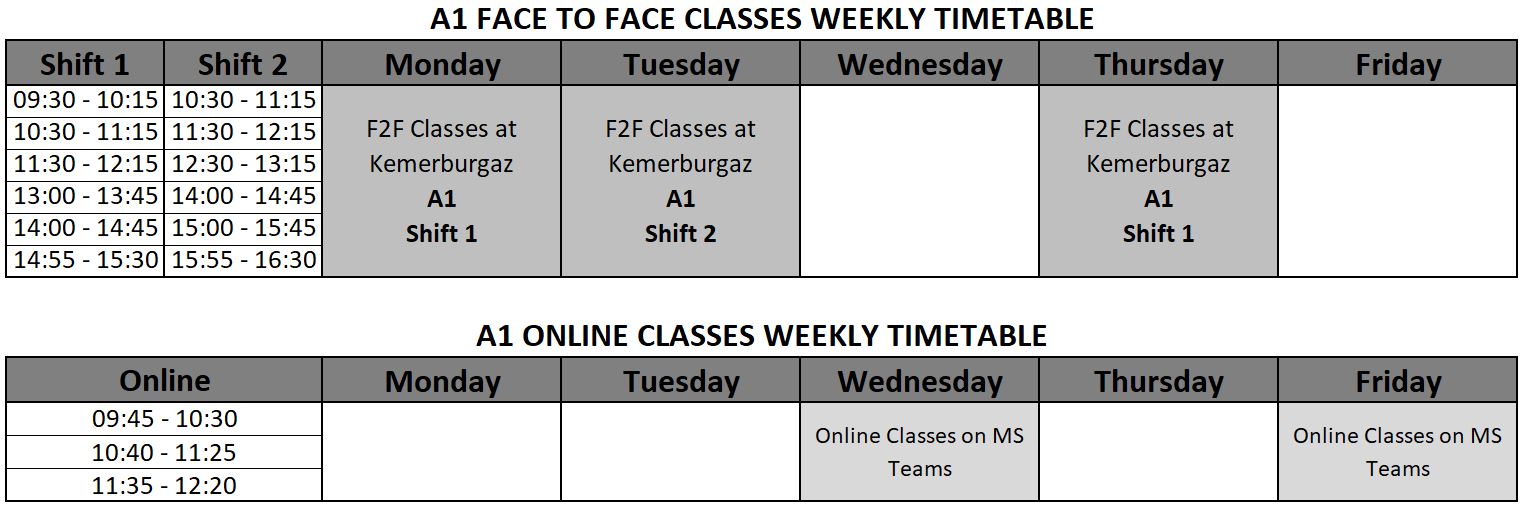
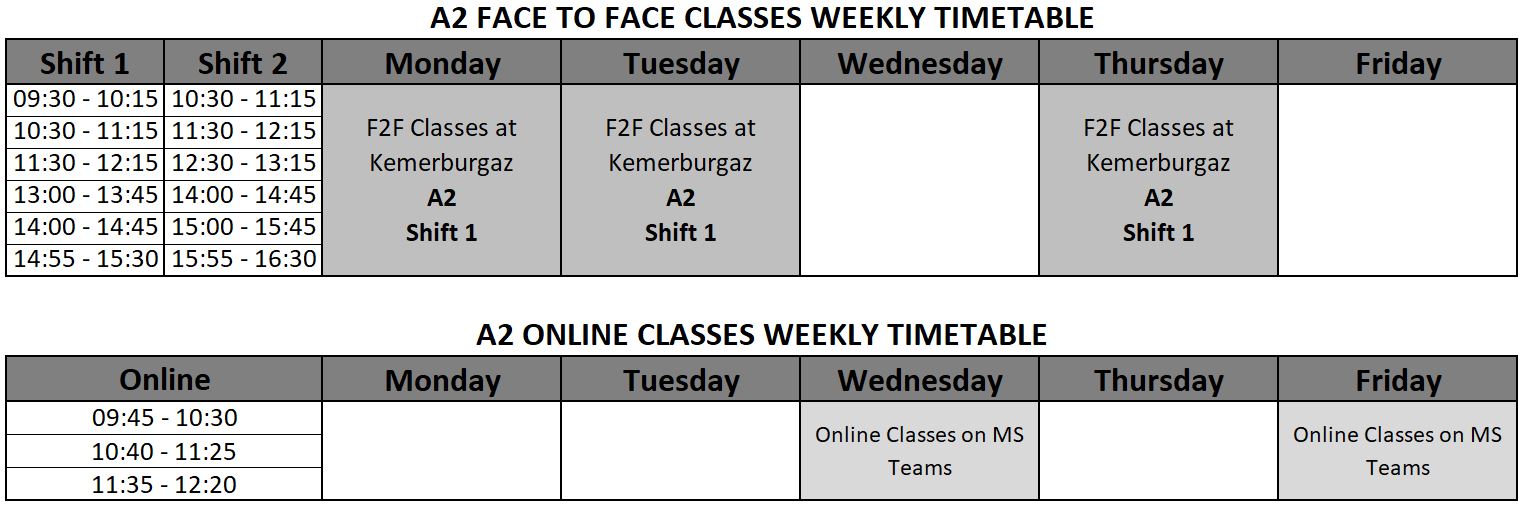
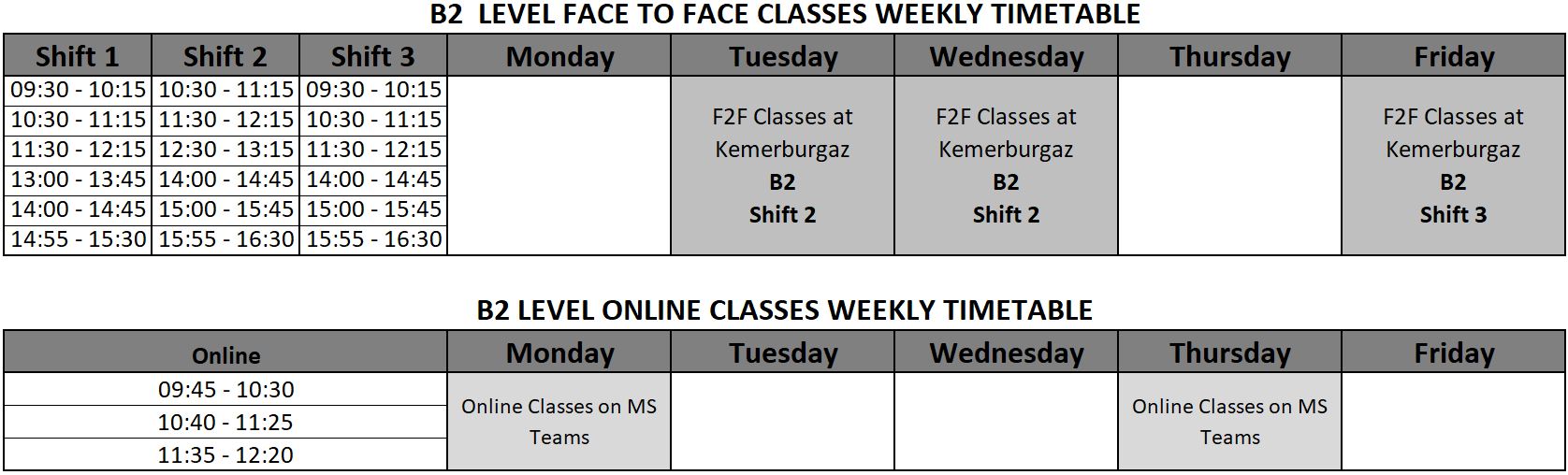
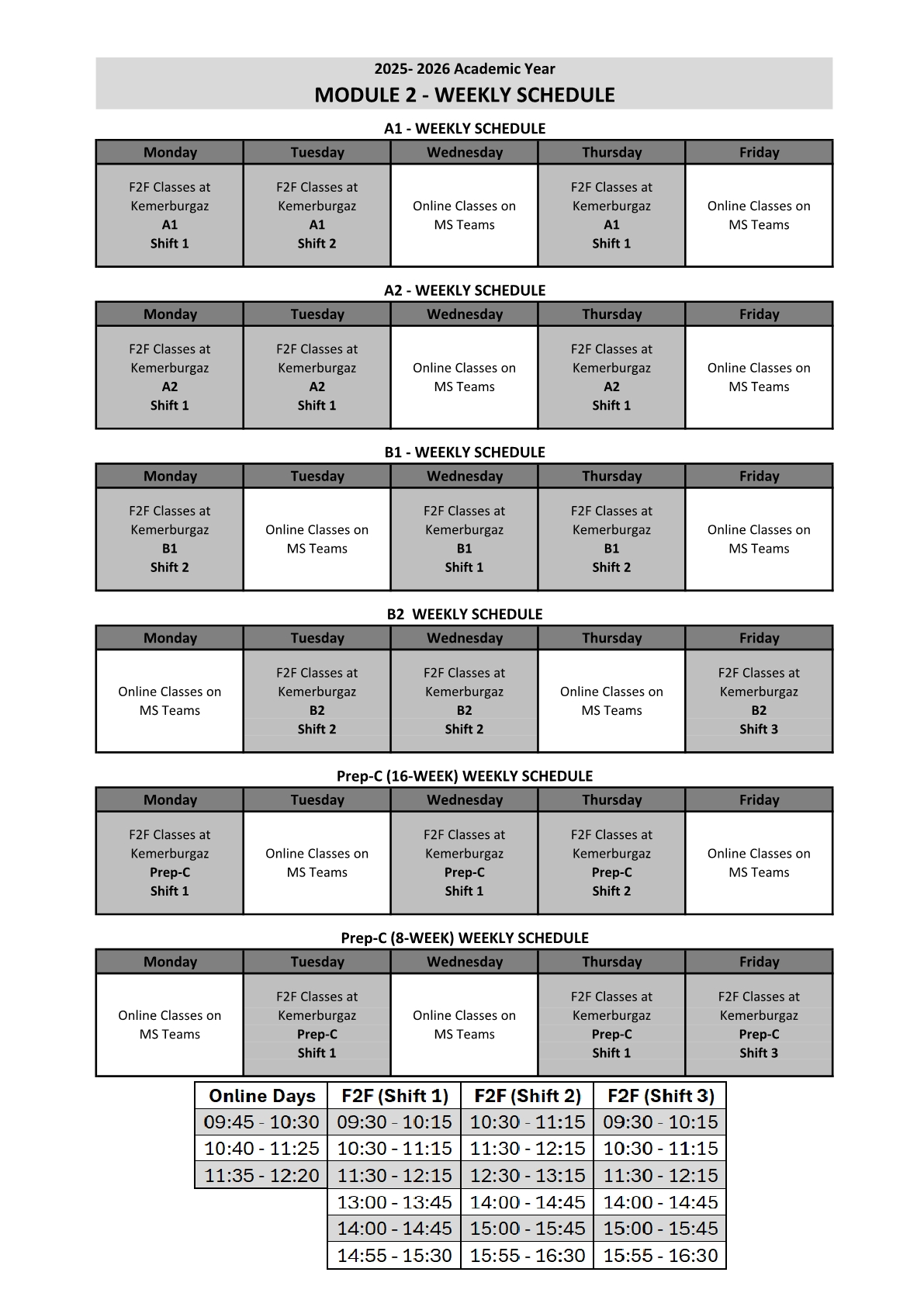
Step 3: After you find out your class code in the list above, please see the "Weekly Schedule" below to find out your weekly class schedule.
Please go to UMIS to view your End of Module Exam score.
Detailed Weekly Schedules
A1 Level
A2 Level
B1 Level
B2 Level
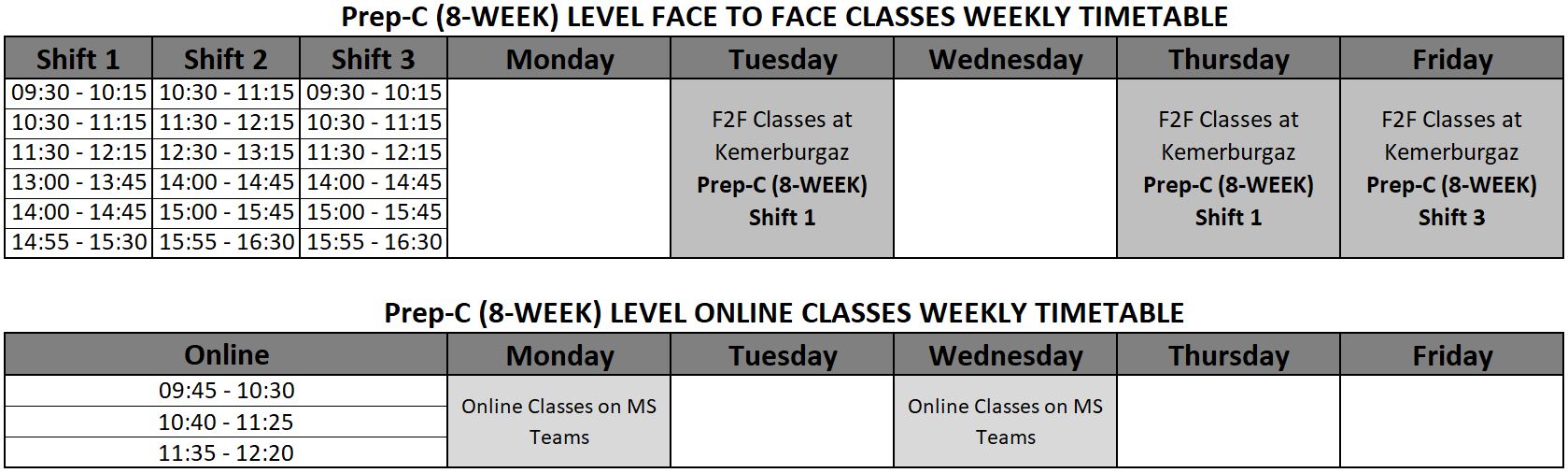
Prep-C Level (Prep-C.01 - Prep-C.04)
Prep-C Level (Prep-C.05 - Prep-C.16)
Please click here to view campus transportation options.
Please watch the video below to see how you can join your online classes on MS Teams:
Please watch the video below to see how you can log into itslearning:
Please watch the video below to see how you can log into UMIS:
Please watch the video below to see how you can view your scores and absenteeism on UMIS:
Please watch the video below to see how you can log into ONEXA: