


 TR
4 Steps to Protect Your Physical Health
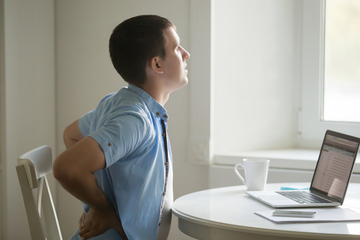
Over the past year, alongside enjoying some advantages of working and staying at home, we have also faced many problems, especially those related to physical inactivity. While protecting yourself from COVID-19 by staying at home, you can keep your body fit without leaving the house by following a few simple ergonomic rules and exercises. Moreover, by continuing to follow these rules at work and in your social life after the pandemic and by making exercise a habit, you can continue to protect your health.
Scientific studies conducted during the COVID-19 pandemic examining the effects of working from home have shown that work-related stress does not differ between working from home and working at the workplace. While working from home offers protection from factors such as noise, poor air hygiene and dust, non-ergonomic conditions and sharing the home with family members were found to affect employees negatively; on the other hand, ergonomic conditions at the workplace and communication with colleagues were reported to have positive effects on concentration and productivity. As a result of the research, making ergonomic choices in line with a home-office approach when working at home has also been recommended.
In this respect, especially for long hours of desk work, you can create a suitable home-office environment by applying the points listed below:
Choosing a Desk
The height of the desk should be at elbow level, with your arms positioned parallel to your body and your elbows at 90 degrees. Height-adjustable desks can be used if necessary. Items on the desk should be placed within the semicircular area you can comfortably reach, and reaching movements should be avoided while working. Using a matte desk whose surface does not reflect light will also help protect eye health.
Choosing a Chair
A good work chair should support the curves of the spine, and its medium-firm seat should both provide comfort and support the "sitting bones," known as the "os ischii," which transfer body weight to the seat. Lumbar supports used on the chair should support the natural curves, but this support should not be excessive. Supports that push the lower and upper back too far forward also distort the angles of the spine, causing problems similar to using no support at all. Posture-correcting braces and lumbar supports should be used together with exercise, and weak body structures should be strengthened. When strengthening is neglected, or when braces or supports are used for more than 3 months, the muscles lose what little strength they have and become even more inactive. This can lead to problems such as pain, spinal deformities and even herniated discs as the supporting muscle strength declines further. The height of an ergonomic chair should be between 38 and 56 cm, and all parts of the chair should be individually adjustable and able to move independently of one another. The backrest is recommended to be 30 to 48 cm wide and to support the natural structure of the spine. Placing a support under the feet is also recommended to protect the knees, feet and ankles.
Screen Position
There should be at least 65 cm between the computer screen and the eyes. If the screen becomes hard to read, it should not be moved closer; instead, the font size should be increased so that the eyes can see comfortably. The top of the computer screen should be at or below eye level, and the top of the screen should be set back from the bottom, tilted slightly at an angle of 10-20 degrees. To bring the screen to eye level when sitting at the computer, a laptop stand or monitor riser should be used so that the top edge of the screen is at eye level. Neck pain can be prevented by having the screen and the torso face each other and eliminating the need to turn the neck left and right while looking at the screen. When using more than one screen, the screens can again be positioned so that the head does not need to turn, with their edges parallel to the body's midline, or staggered by raising one of them. The distance from the screen should be the furthest distance at which all images on the screen can be seen comfortably. In addition, the angle between the windows and the screen should be suitable, and reflections from windows and other sources should not fall on the screen.
Work Environment
Attention should be paid to the humidity and temperature of the work environment; the ideal temperature is 21-22 degrees, and it should not fall below 20 degrees or rise above 26 degrees. To protect both our health and our planet by saving energy, the World Health Organization recommends using air conditioning at 21 degrees for cooling and 24 degrees for heating. Humidity should be between 40% and 65%. For good air quality, air conditioners should be serviced at regular intervals, and air from an open window or air conditioner should not blow directly on the body.
Health should be considered as a whole, including physical, mental and emotional well-being. The best way to protect health is undoubtedly through good sleep, good nutrition and sufficient physical activity. Physical activity is defined as activities lasting at least 10 minutes and involving energy expenditure of at least one and a half times the resting basal metabolic rate. It should also be noted that one of the most important indicators of physical health is physical fitness, defined as the ability to sustain physical activities without strain and with enjoyment. In this context, health-related physical fitness is affected by respiratory function, muscular strength and endurance, flexibility and posture. These parameters, negatively affected by both inactivity and poor ergonomics while working from home, can only be improved and maintained through activity.